

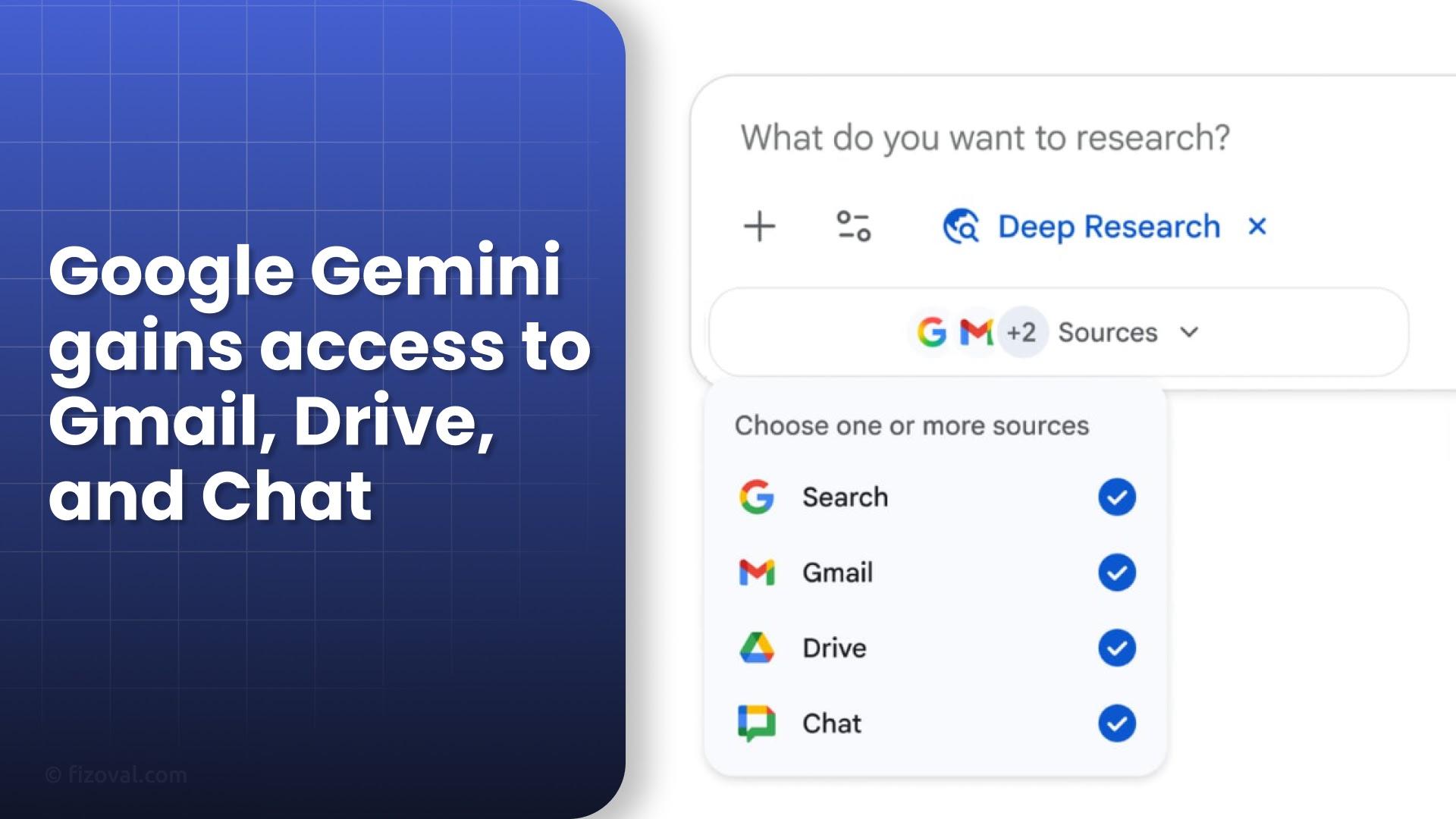
"Google’s Gemini Deep Research brings powerful, AI-driven integration across Gmail, Drive, Chat, and the web — transforming how enterprises conduct research and analysis."
Google Gemini Deep Research: Changing How Enterprises Analyze Information
Google has rolled out an advanced AI feature called Gemini Deep Research, which lets users integrate and analyze information from Gmail, Drive, Chat, and the web — all in one place. This update transforms enterprise research by giving professionals the power to synthesize private and public data into context-rich insights within minutes.
What Is Gemini Deep Research?
Gemini Deep Research is part of Google’s AI workspace ecosystem and is available through gemini.google.com for desktop, with mobile rollout underway. The tool allows enterprise users to perform deep contextual analysis by combining data from multiple sources like emails, documents, chat threads, and online references.
The workflow of Gemini Deep Research follows a clear, four-step process:
- Planning: Converts user prompts into step-by-step research tasks.
- Searching: Gathers data from selected sources — Gmail, Drive, Chat, or the web.
- Reasoning: Synthesizes data using transparent logic and AI reasoning.
- Reporting: Produces detailed summaries, reports, and even audio versions, linking directly to the original sources.
Users can choose which data sources to include or exclude, ensuring full control over what’s analyzed.
How Can Enterprises Use It?
The tool is designed for multiple enterprise scenarios where speed and context matter. Here are a few ways teams are already benefiting:
- Sales & Marketing: Combine customer emails, CRM insights, and market data to plan campaigns.
- Product Teams: Merge design docs, brainstorming notes, and web trends for go-to-market strategies.
- Finance & Legal: Cross-reference spreadsheets, compliance reports, and chat logs for audits or due diligence.
Example Use Cases
Gemini can start a market analysis by pulling brainstorming docs, project notes, and Gmail threads into one cohesive report. It can also generate competitor reports by merging team insights with real-time web data. For presentations, Gemini even supports interactive reports and audio briefings that are easy to share internally.
How Does Gemini Compare to Competitors?
Google’s Deep Research competes directly with Microsoft’s Copilot and OpenAI’s enterprise ChatGPT integrations.
| Platform | Integration Strength | Unique Edge |
|---|---|---|
| Google Gemini | Gmail, Drive, Chat, Web | Native Workspace permission support |
| Microsoft Copilot | Gmail, Office 365, SharePoint | Cross-ecosystem connectors |
| OpenAI ChatGPT | Slack, SharePoint, Web | Flexible third-party integration |
While Microsoft and OpenAI offer broad integrations, Google’s advantage lies in how deeply it connects with its Workspace environment — keeping permissions intact and ensuring data privacy at every level.
Privacy and Control
Privacy remains central to Gemini’s design. Users must opt in for every data source, ensuring full consent before analysis. The system respects folder and file-level permissions and aligns with Google’s enterprise-grade security and compliance standards.
How to Access Gemini Deep Research
Here’s how to get started:
- Visit the official Gemini Deep Research Overview.
- Sign in and choose data sources like Gmail, Drive, Chat, or the Web.
- Access the feature via Gemini’s Tools → Deep Research menu on desktop or mobile (as rollout continues).
“This integration marks a major step in making AI research powerful and context-aware — cutting hours of work into minutes.”
FAQs
1. Is Gemini Deep Research free to use?
Currently, it’s available for enterprise and Workspace users. Broader public rollout is expected soon.
2. Does Gemini read private emails automatically?
No. Gemini only accesses your Gmail or Drive content if you explicitly allow it for that session.
3. Can it analyze both internal and web data together?
Yes, users can combine internal data (emails, docs, chats) with live web information for comprehensive insights.

